Reminders
Reminders help you keep track of upcoming vehicle expenses like insurance renewals, service appointments, or distance-based maintenance.
Types of Reminders
Date-Based Reminders
Triggered by a specific date. Useful for:
- Insurance renewal dates
- Annual inspections
- Registration renewals
- Scheduled service appointments
You can set:
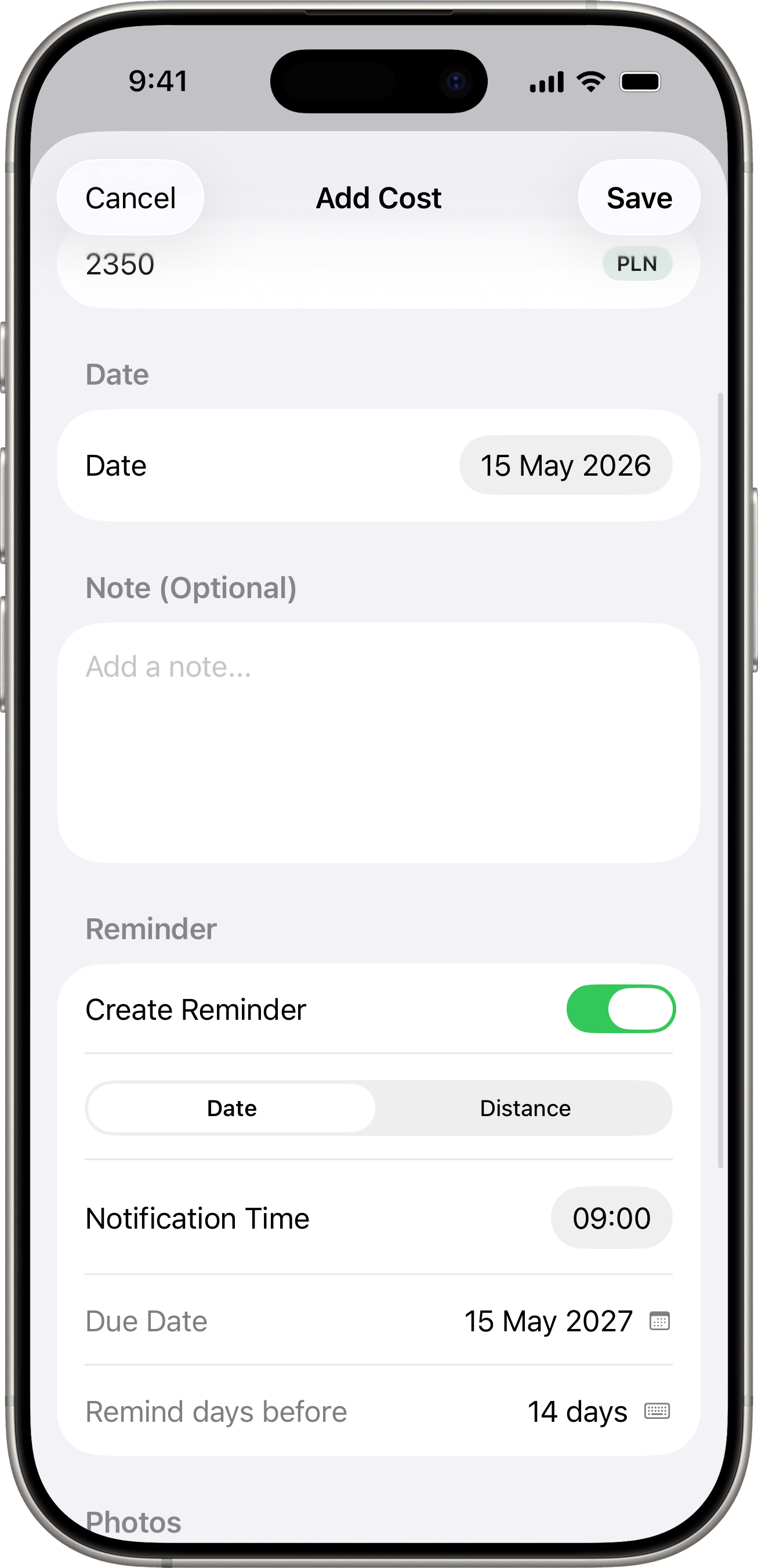
- Due Date — when the reminder is due.
- Remind days before — how many days in advance you want to be notified (0–30 days).
- Notification time — the time of day to receive the notification.
- Recurrence interval — number of days to advance the due date when you mark the reminder as done (default: 365 days for annual reminders).
Distance-Based Reminders
Triggered when your vehicle approaches a certain odometer reading. Useful for:
- Oil changes
- Tire rotations
- Brake inspections
- Any mileage-based maintenance
You can set:
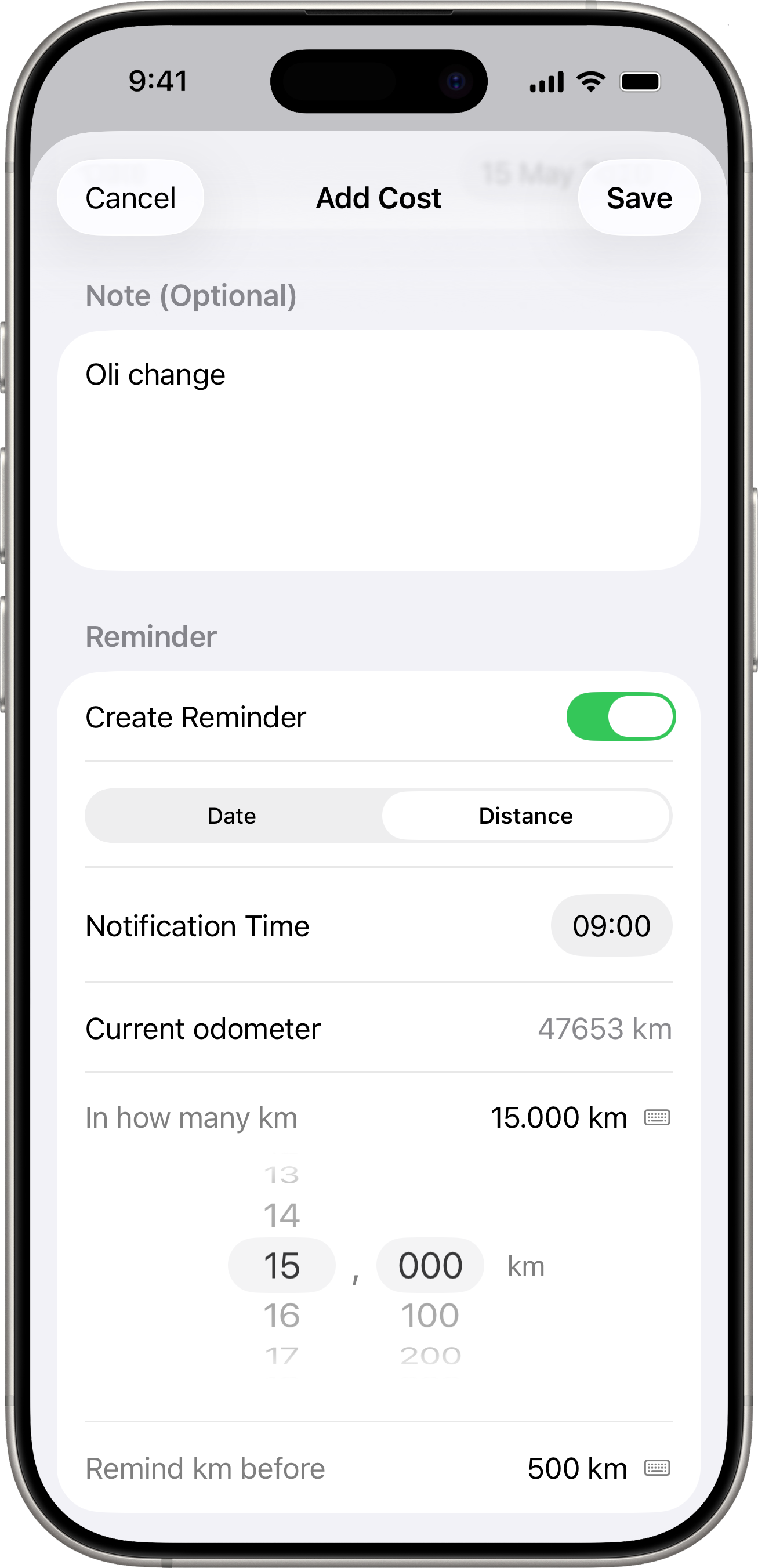
- Target odometer — the odometer reading when the task is due.
- Lead distance — how far in advance (in km or miles) you want to be notified.
- Recurrence interval — distance to advance the target when you mark the reminder as done.
Creating a Reminder
There are two ways to create a reminder:
From the Costs tab
When adding a new cost, toggle Create Reminder at the bottom of the form. This is useful for recurring expenses — for example, when you pay for insurance, you can immediately set a reminder for next year’s renewal.
From the Reminders screen
- Go to the vehicle detail screen (tap the vehicle name in Settings > Manage Vehicles).
- Find the Reminders section.
- Tap + to create a new standalone reminder.
- Enter a title, choose the type (date or distance), and configure the details.
Reminder Statuses
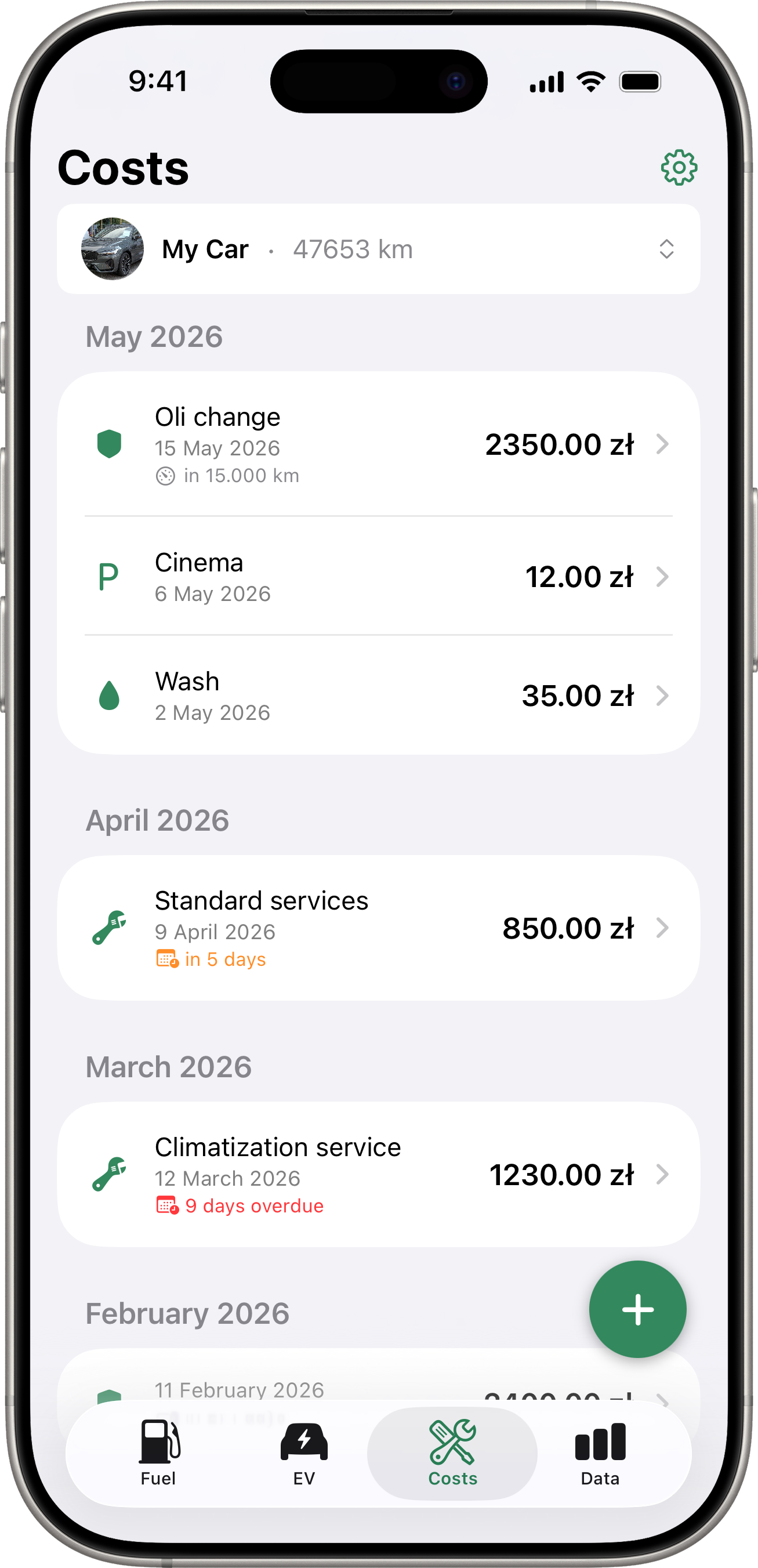
Each reminder shows a colored status badge:
- Overdue (red) — the due date has passed or the target odometer has been exceeded.
- Due Soon (orange) — within the lead time or lead distance window.
- Pending (gray) — not yet approaching the due date or distance.
- Silenced (gray) — manually silenced by the user.
Managing Reminders
- Mark as Done — advances the reminder by its recurrence interval (e.g. moves the due date forward by 365 days).
- Silence — temporarily mutes notifications for a reminder without deleting it.
- Edit — modify any reminder detail.
- Delete — permanently remove the reminder.
Notifications
Reminders send local notifications at the configured time. The app will ask for notification permission when you create your first reminder. Notifications are delivered even when the app is not open.
For distance-based reminders, notifications are checked and sent when the app detects a new odometer reading (either from a manual fill-up or from a connected service sync).